

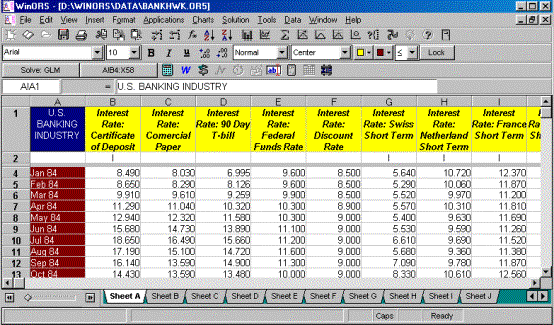
The basic view of the ORS spreadsheet is shown below. Note the names on row 1 and
the variable designations on row 2. To enter data, place the cursor on row four (4). We recommend that
you always enter the first observation across row four of the spreadsheet. Enter the second observation on row five,
and so on.
In a time series analysis,
observation number one (which will be stored on row four) is the earliest
observation. For example, if your data
covers the time period January 1990 to December 1995 inclusive, row one holds
the data associated with January 1990.
Use the invert procedure command if you reversed the data (/EBI).